Where to use DS1990A?
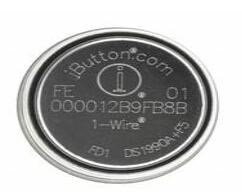
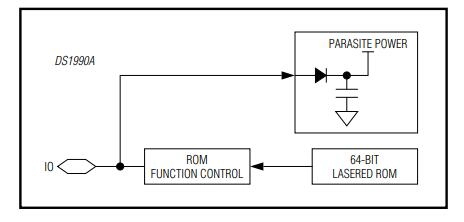
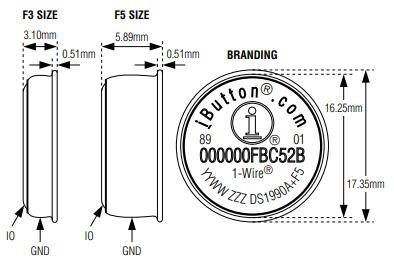
The DS1990A is an Address only type iButton, which means you can only read the 64-bit unique identification and not write to it. This gadget has a 5ms read time and uses a one-wire communication protocol, so all the user has to do is touch the device to the reader. This makes it suitable for projects that require a specific action to be conducted after reading the value from the iButton, such as opening a valve or triggering a siren.
How to use DS1990A?
The DS1990A is not self-contained; it requires a probe/connector to connect it to a reader, such as a computer or embedded hardware. There are various methods to use a DS1990A; however, if you plan to use it with a computer, you won't have to worry about anything because Maxim has already given the necessary hardware and software. The DS1990A can be directly connected to the computer's USB port using the DS9490R connector, and the data from the iButton can be read using the Java application running on the computer. If you're interested in learning more, read Maxim's Quick Start Guide.
When using the module with an embedded application such as an ATmega (Arduino), PIC, or any other MCU/MPU, the situation is slightly different. To connect the iButton to the hardware, you'll need a probe like the DS9092L. Then you must program the hardware (MCU/MPU) to read the data from the iButton using the 1-Wire interface. The circuit for a typical application is given below.
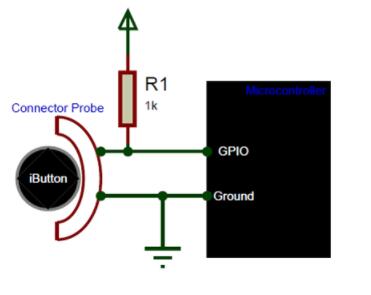
How to use DS1990A
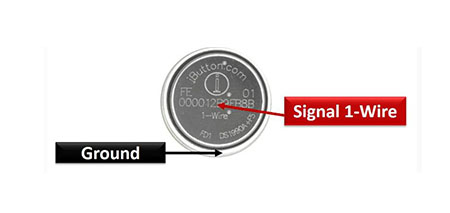
As you can see, communication only takes two wires, one of which is the ground wire. A 1K pull up resistor is used to pull the signal wire (IO Wire) high. Because the DS1990A can function between 2.8 and 6 volts, it can be used with both 3.3 and 5-volt microcontroller platforms.